

- A new Hue Bridge update lays the ground for an automations tweak
- Automations will soon be visible alongside rooms and scenes
- There’s no sign yet of the SpatialAware feature we saw demoed at CES
If you have a Philips Hue Bridge or a Philips Hue Bridge Pro set-up at home, be on the lookout for a software upgrade that’s rolling out now, which lays the foundations for upcoming improvements to smart-light automations.
As spotted by Notebookcheck, the notes accompanying the version 1975104000 update (Hue Bridge v2) and version 2071193000 update (Hue Bridge Pro) mention showing automations “within the screens of the rooms and zones they control”.
Currently, if you open up the Philips Hue app on your phone, you’ll see there’s a separate Automations tab where you’ll find them all listed – timers for waking up and going to sleep, motion-sensor triggers, preset color cycles, and so on. These automations are why Philips Hue devices are some of the best smart lights in the business.
In the near future, it sounds like these automations will also appear on the same screens where you can access the rooms and zones you’ve created for your lights, making it much easier to see what’s what with a quick glance.
Coming soon
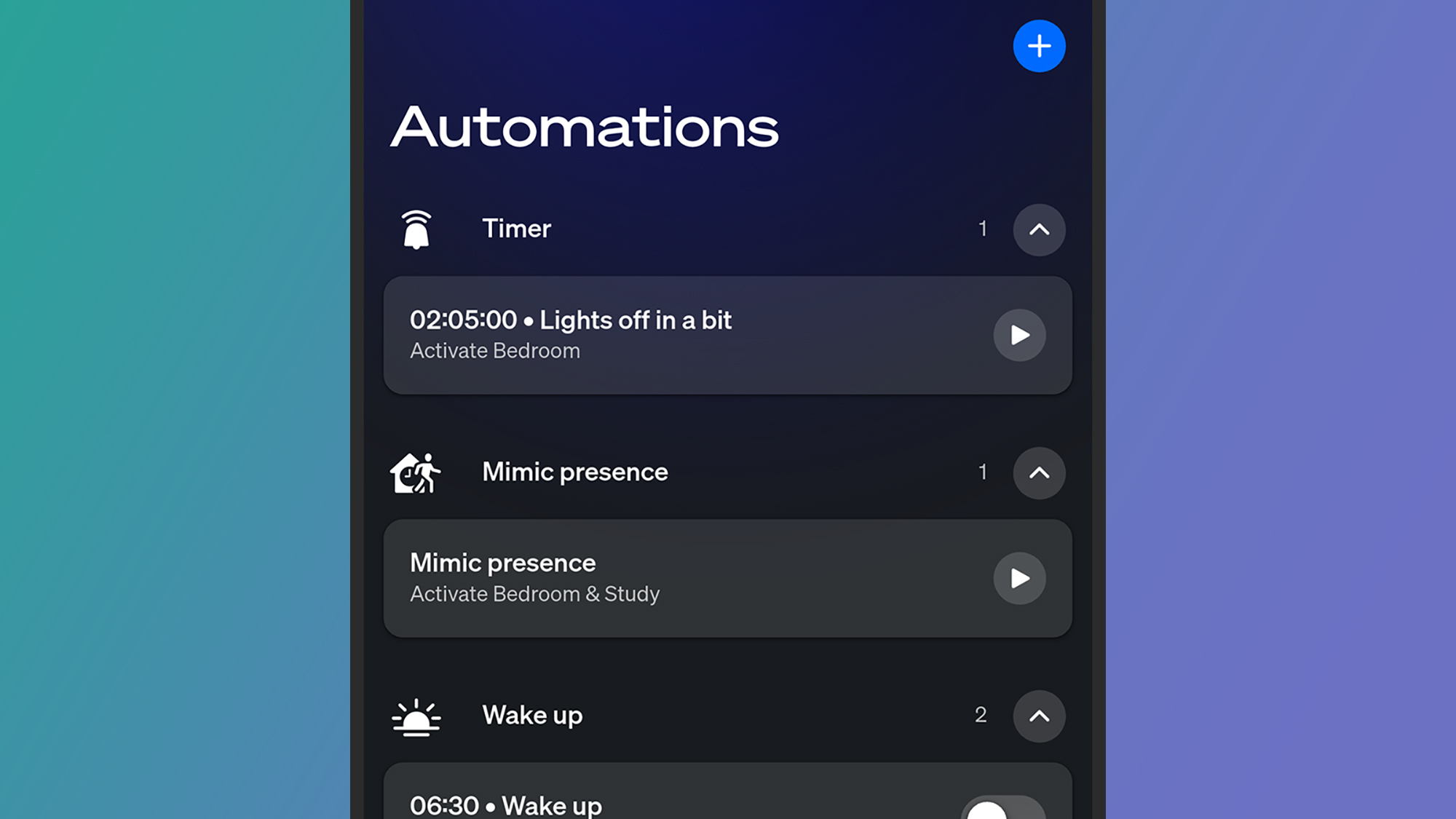
The latest Bridge update doesn’t enable this change – but it’s apparently arriving “in the coming weeks”. We’ve reached out to Philips Hue parent company Signify to see if it has anything extra to add, and will add an update here if we hear back.
In addition to making preparations for this automations tweak, the update release notes say there are “several small changes behind the scenes” that make the Bridges work better than ever – so expect faster responses and fewer problems in the future.
Though it’s not mentioned in this update, we’re also patiently waiting for the SpatialAware feature, announced at CES 2026 and exclusive to the Hue Bridge Pro. When you set scenes in a room, it tweaks the output from each light, based on its position – for example, for a sunset scene, the artificial sun effect will set on one side of the room.
You can manage Hue Bridge updates by tapping Settings in the app, then choosing Software update. To make life easy, enable Automatic update, which means your Hue devices will update themselves, without you having to do anything else.
Follow TechRadar on Google News and add us as a preferred source to get our expert news, reviews, and opinion in your feeds. Make sure to click the Follow button!
And of course you can also follow TechRadar on TikTok for news, reviews, unboxings in video form, and get regular updates from us on WhatsApp too.
