

- A new Decky Loader plugin for SteamOS has made it easier to play and install non-Steam games
- It allows for syncing multiple game libraries on SteamOS without needing to use other third-party launchers
- It’s available for download now via GitHub
SteamOS users are likely well aware that playing games from other launchers like Epic Games involves tinkering, and that can be cumbersome. Game libraries can only be accessed after starting those launchers, and there are plenty of issues you might run into when attempting to install them.
That’s why community-made tools like Decky Loader are very handy, which I’ve previously covered when it helped improve access to frame generation for games. Now there’s a new plugin in town known as Unifideck and made by mubaraknuman, which is available on GitHub.
I’ve used it on my Lenovo Legion Go S handheld gaming PC, and it’s nothing short of brilliant. Put simply, Unifideck removes the need to install other game launchers outside of Steam, and instead takes your game libraries from those third-party launchers, placing them in your Steam library within separate categories.
It has the easiest setup process compared to any of the previous auto-installers for game launchers that came early on in the Steam Deck’s lifecycle.
As you would install any other Decky Loader plugin (before it’s available on the main store), you simply download the Unifideck ZIP file from GitHub, go back into SteamOS game mode, ensure developer mode is enabled in Decky Loader’s settings, and install the plugin from the ZIP file.
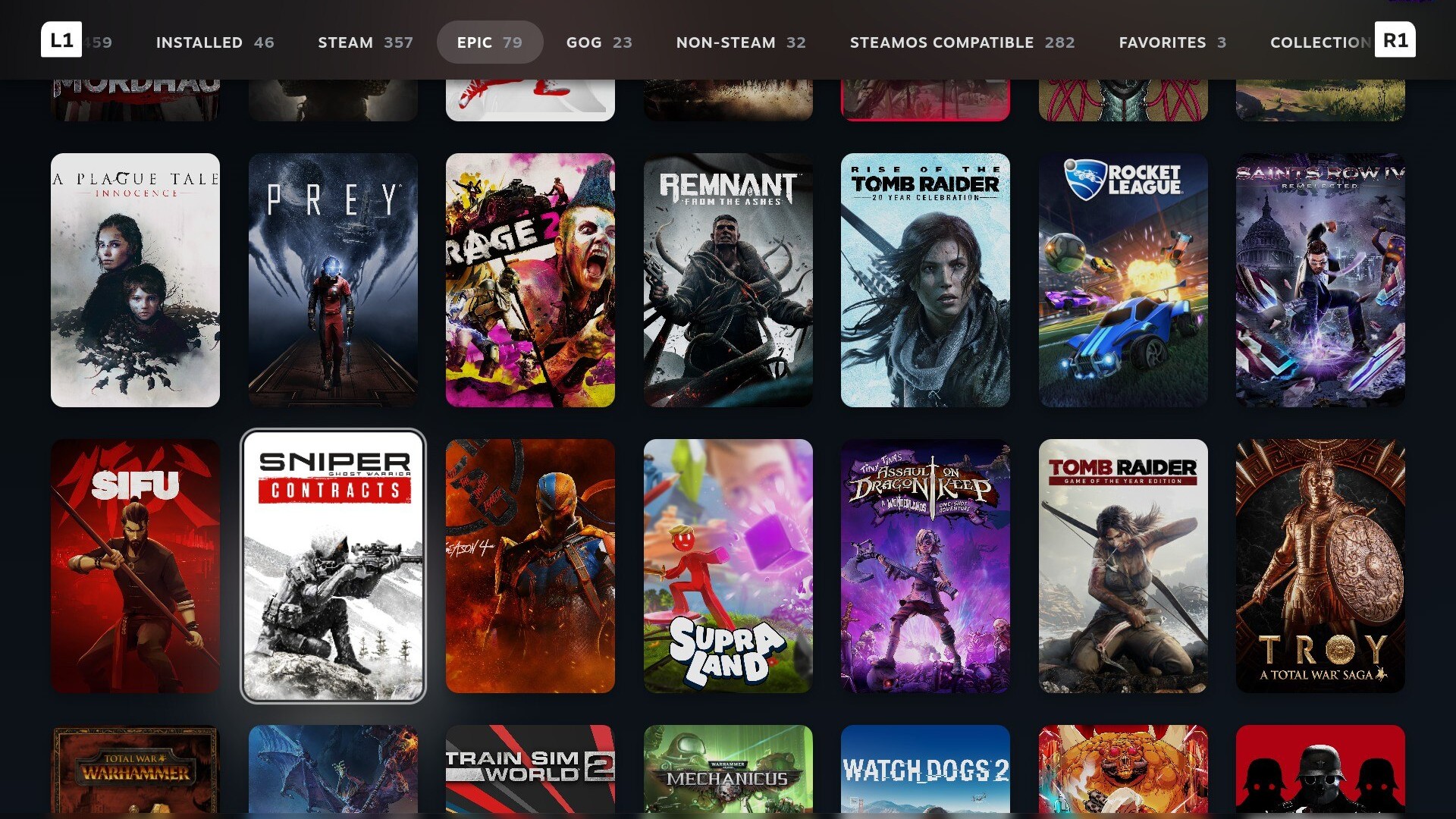

Currently, Unifideck only allows you to add your GOG, Epic Games, and Amazon Games libraries, but that’s still a major benefit, especially when it comes to avoiding the much complained about Epic launcher.
That said, Unifideck has still got a way to go: download speeds are noticeably slower compared to downloads on Steam itself, and it’s missing Battle.net and Rockstar Games Launcher, but I’d imagine those implementations will take a little more work.
However, it’s a great start, and there isn’t much to complain about. Unifideck makes not only handheld gaming so much easier, but it’ll be ideal for any system running SteamOS – and in that respect, it’s arrived at the perfect time.
Analysis: the Steam Machine may benefit from this massively

Valve’s Steam Machine is on the horizon, set for launch in early 2026, and while the majority of the discourse surrounding the console-like PC is about its potential price tag, Decky Loader’s Unifideck plugin is one of the many advantages that await Steam Machine buyers.
Unifideck will allow gamers moving over from consoles to PC to utilize more than just the Steam library, with access to GOG, Epic Games, Amazon Games, and potentially even more by the time the system launches.
And for current PC owners using Microsoft’s Windows 11, having all game libraries easily accessible in one place will keep gaming experiences streamlined without the need to mess around using other launchers.
Really, the only major downside that remains for the Steam Machine is the lack of support for games using kernel-level anti-cheat on SteamOS. However, the hope is that the Steam Machine will encourage game developers to consider making these anti-cheat tools compatible with Linux. If that happens, SteamOS will take another significant step forward in terms of its potential to grab defectors from Windows 11.
Follow TechRadar on Google News and add us as a preferred source to get our expert news, reviews, and opinion in your feeds. Make sure to click the Follow button!
And of course you can also follow TechRadar on TikTok for news, reviews, unboxings in video form, and get regular updates from us on WhatsApp too.
