

DLSS 4.5 has arrived! Yes, Nvidia revealed yet another upgrade to its performance-boosting software suite at CES 2026 in Las Vegas last week, and it goes beyond just an iterative improvement to the resolution-upscaling tech at the core of DLSS: we’re also getting a new level of Multi Frame Generation (MFG), which takes us from the current top 4x mode to 6x frame-gen.
For the uninitiated (although I doubt you clicked on this article if you don’t know what frame generation is), what this essentially means is that only one in six frames is actually computed and rendered by your graphics card when playing, with the other five interpolated and inserted by a complex AI model running locally on your Nvidia GPU. In other words, going from 4x to 6x should theoretically give you a 50% boost to your average framerate.
In practice, frame-gen isn’t quite that impressive – at least, not from what I’ve seen during my own testing with the RTX 5060 and RTX 5070. You’ll get a boost, but it varies massively depending on a range of factors, including the other specs of your build, the target resolution of your monitor, the DLSS mode being used, and the graphical settings of the game you’re playing. It does work, even if you’re unlikely to get the perfect lab-tested performance results Nvidia likes to tout.
Real or fake?
I should immediately address the fact that frame-gen has proven to be a highly divisive topic within the PC gaming community. Some merely consider it to be a useful tool for boosting performance; others decry the involvement of AI, calling the interpolated images ‘fake frames’, or view it as another crutch (like DLSS upscaling itself) that allows developers to skimp on proper optimization for the PC versions of games.
I do consider these concerns valid, and when frame generation first debuted with DLSS 3 I wasn’t too impressed. I’m not violently anti-AI (though I do have my reservations about how it’s used), but frame-gen seemed a bit like a pipe dream – especially since it’s locked to newer RTX GPUs, removing any potential benefits for those running on older hardware. And looking at the current spiking prices of PC components due to AI demand, the accessibility of this tech… isn’t great.

But Nvidia has now had three major DLSS updates to get a handle on its frame-gen tech, and it’s starting to feel like we might need to collectively admit that it’s not actually a Big Bad Evil Thing. With the reveal of the new 6x MFG mode in the DLSS 4.5 update, my first thought wasn’t ‘oh, 6x sounds great’ – instead, I thought ‘huh, I should give 2x another go.’ As my favorite YouTuber loves to say, let’s get to the numbers!
Real-world performance
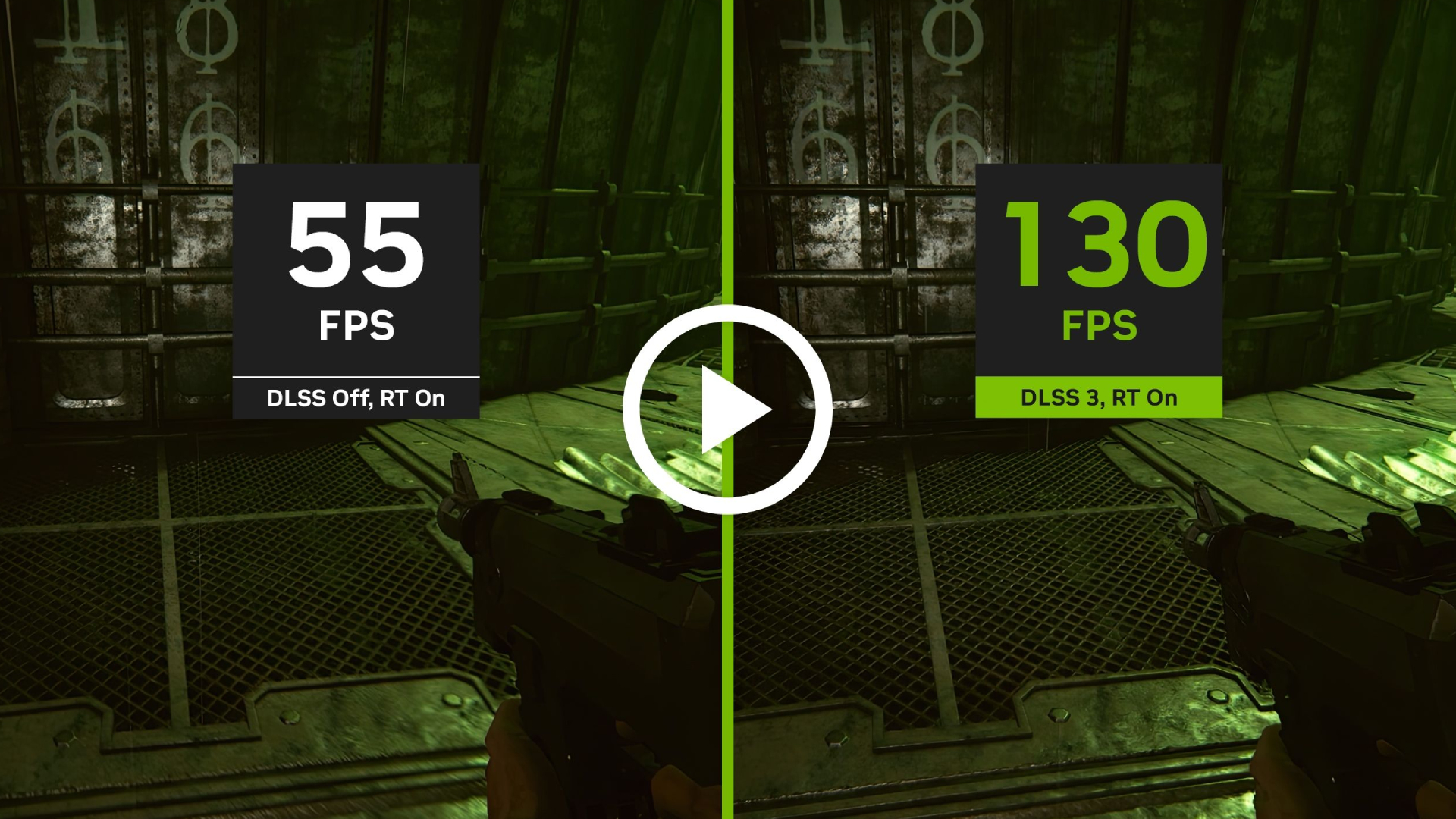
With the RTX 5060, at 1440p output resolution with DLSS set to Balanced and frame-gen off, I was getting about 40 frames per second on average in Alan Wake II at the Medium graphics preset. Turn frame-gen on to 2x mode, and that average bumped up to 55fps, with extremely minimal loss in visual clarity – nothing that would impact my enjoyment of the game in the slightest.
4x mode took my framerate into triple digits – but unfortunately, this did impact how the game actually looked. Despite the reported framerate being much higher (according to Nvidia’s own app overlay, since Alan Wake II lacks a built-in fps counter), the game felt worse to play; ghosting, blurring, and artifacting were immediately visible, combined with a slight but noticeable input latency that – while not rendering a single-player game like this unplayable – would definitely be a problem in a faster-paced title.
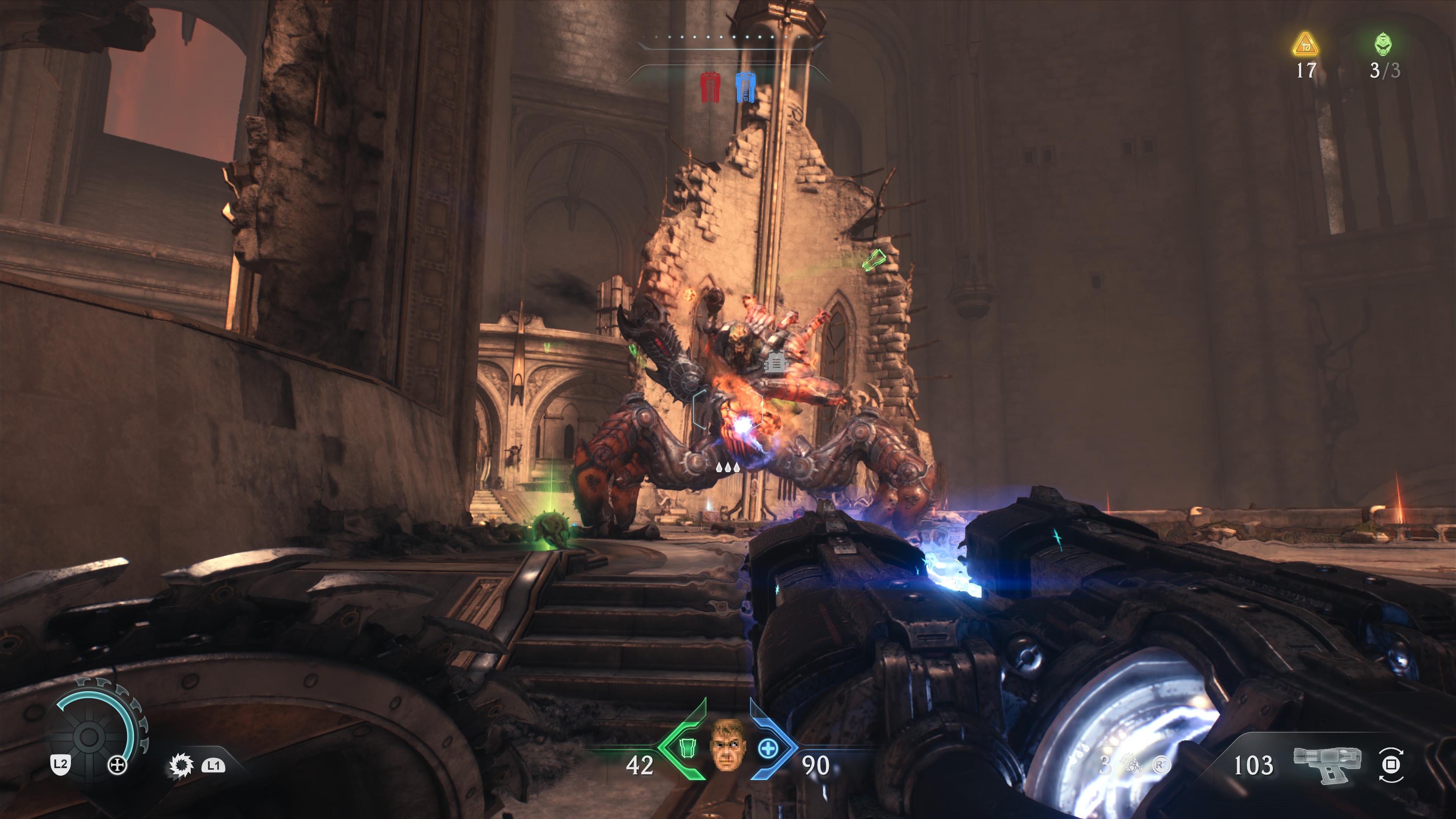
Avowed gave me similar results. At 2x I wasn’t really able to register much of a difference in visual sharpness or glitching, despite a hearty framerate boost of about 25fps on average, but cranking MFG up to 4x turned the screen into a blur-scape of Dali-esque proportions. Doom: The Dark Ages fared better, but I still felt like 4x was struggling a little to maintain good clarity during busy moments (which is most moments, since it’s Doom), while 2x and 3x looked consistently great.
Jumping up to the RTX 5070, the difference was even more significant. Frame-gen relies on the base framerate produced by the GPU to perform better; you’re obviously going to see a more significant boost if you’re rocking a more powerful GPU to start with. If you’re already struggling with sub-30fps, frame-gen isn’t going to save the day.
But if you’re starting comfortably above 60, as the 5070 did in Alan Wake II, you’re going to get a more significant boost. Turning on 2x frame-gen took me from a 66fps average all the way up to 90, and again, it still looked fantastic. Switching on ray-tracing caused the framerate to take a significant hit, but 2x FG kept it above a stable 60fps, which is fine for a single-player game like this. Avowed hit 100+ fps with 2x mode, again with virtually no visual issues.
Yes, 4x was still wonky in some games, though it’s a bit less horrible than it is on the 5060. But that’s okay – much like the earlier generation of DLSS, there’s still work to be done here, and we shouldn’t decry the base version of Nvidia’s FG tech because of that. It’s also important to bear in mind that MFG depends partially on developer implementation; it’s still relatively early days for the tech’s use within the wider gaming industry, and we can likely expect it to improve as it becomes more normalized.
The future of frames
After all, DLSS upscaling itself wasn’t an overnight success. Gamers are a fickle bunch, sure, and we typically approach each new technology with caution – but Nvidia’s own usage data shows that the vast majority of PC gamers with RTX GPUs are now regularly utilizing DLSS. So if 2x FG combined with DLSS can get you a decent framerate bump at no extra cost, why wouldn’t you use it?
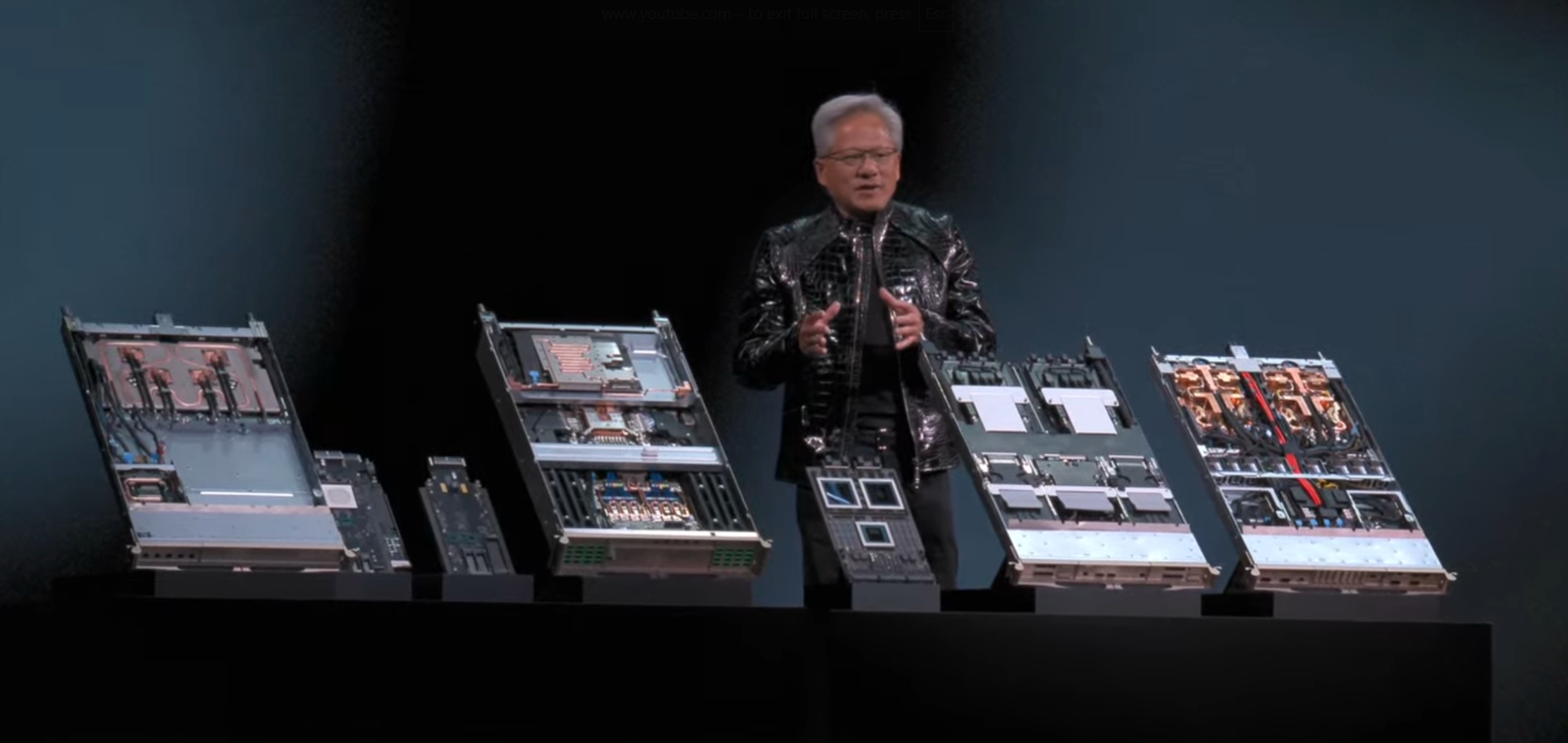
As Nvidia CEO Jensen Huang said during his CES keynote, “computing has been fundamentally reshaped” by the arrival of modern AI, and that doesn’t have to be a universally bad thing. Of course, Nvidia is somewhat responsible for the present situation of the GPU market, so there’s a rather delicious paradox here where Team Green is pushing impressive new AI-powered software that few people can actually use because it requires hardware that is currently all being sucked up… to power AI software.
Back on topic… I don’t expect 6x MFG to blow me away when I first get to test it out. When you consider that frame-gen in its most basic 2x form is essentially producing a single interpolated frame to insert between every two frames your GPU spits out, it’s easy to imagine that visual accuracy is going to take a hit when you suddenly start trying to AI-generate five frames to cram in there instead. But I’m going to be patient with Nvidia on this one, and I won’t hear any more slander about 2x FG.
I think it’s about time we put the whole ‘fake frames’ thing to bed, honestly. I mean, it’s not like the regular frames are hand-made by Tibetan artisans from only the finest naturally-sourced pixels. If you can see them, they’re real enough. And if your PC game runs like crap without upscaling and frame-gen? That’s not on Nvidia – that’s on the game devs, sorry.
Follow TechRadar on Google News and add us as a preferred source to get our expert news, reviews, and opinion in your feeds. Make sure to click the Follow button!
And of course you can also follow TechRadar on TikTok for news, reviews, unboxings in video form, and get regular updates from us on WhatsApp too.
