

After a wait of almost five years, Spotify Lossless is here! And although most of us think its arrival as a free Spotify Premium software update is a Very Good Thing, provided you’ve got the hardware to hear it the key bit is that final clause. You’re going to need a better connection to your ears. Do nothing but toggle Lossless on over a Bluetooth connection to your wireless headphones like you always do on the commute, and you’re not going to hear the difference.
You probably will get a data allowance notification on your phone fairly soon though, since streaming in Spotify Lossless quality will consume plenty more data than before. Spotify’s ‘Very High’ quality setting uses about 2.4MB per minute, but a lossless CD-quality track will eat through about 36MB of data in the same 60 seconds. On a capped data plan? You’d be wise to download your Lossless listening at home, over a wired or Wi-Fi connection before you head out, rather than streaming on demand.
What else should you know? The big thing is this: Bluetooth connections aren’t good enough to stream 24-bit/44.1kHz audio quality, aka Spotify’s better-than-CD new FLAC file audio quality, which the big green streaming machine claims is available on “nearly every” track with Lossless. So you’re going to need to go wired, with either a set of great wired headphones or a pair of the best wired earbuds.
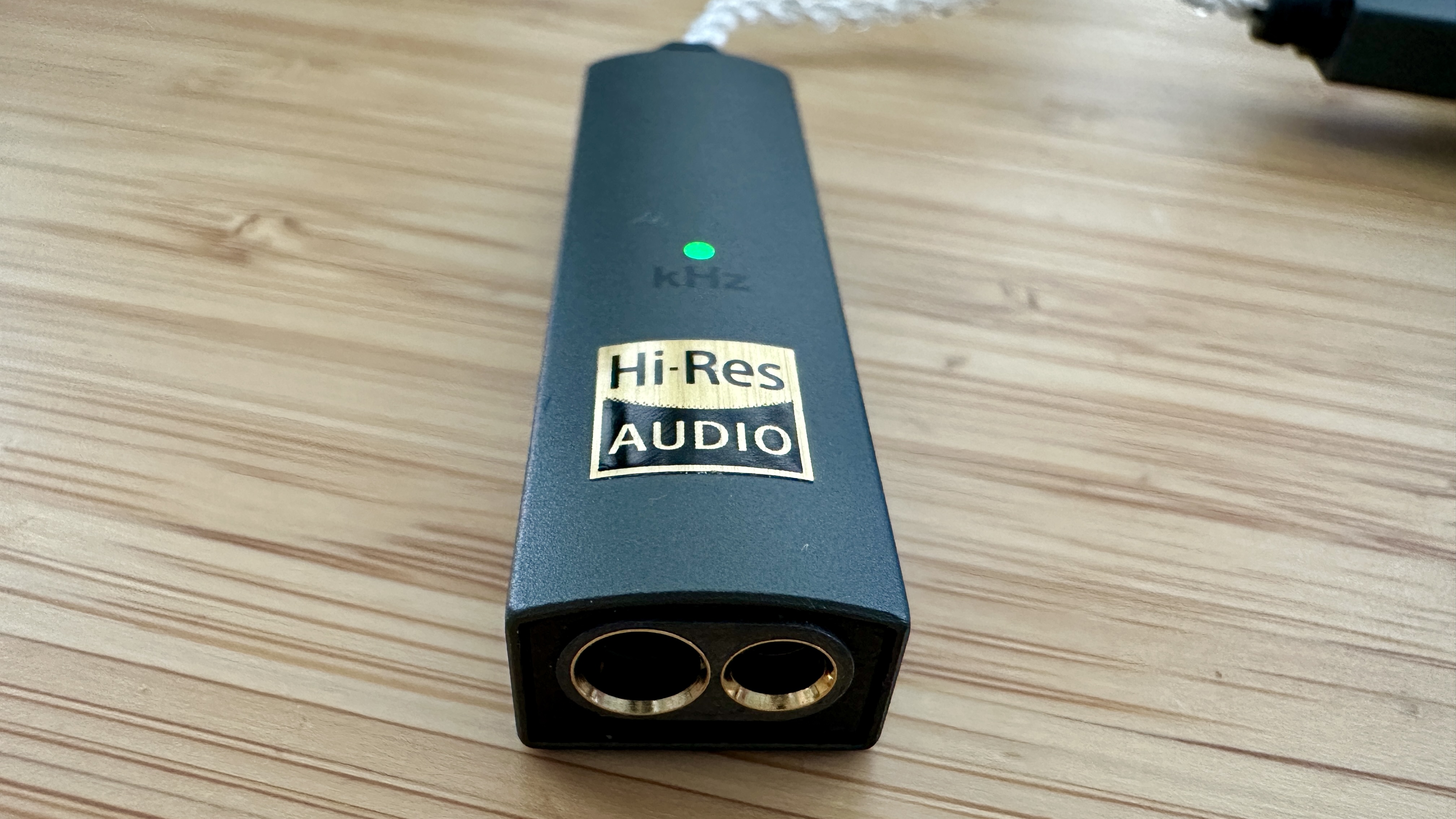
One last thing: while your phone can probably unlock and supply said wired headphones with 24-bit/44.1kHz audio, it’s not a gimme. Newer Androids and Sony Xperia phones will pass muster here, but although recent iPhones are up to the task, I can tell you that my iPhone 12 Pro (yes, it’s a dinosaur – but I take care of my tech) often displays equal- or better-than-Spotify FLAC files from Tidal and Qobuz as Apple’s more basic AAC format when I first feed them into my DAC and on to my wired earbuds.
Why add the DAC? It bypasses whatever trickery the inexpensive (or let’s be honest: ecosystem-specific) digital-to-analog-converter is doing inside the phone and takes it outside to a dedicated converter, where the extra information can be properly unlocked and unpacked before making its way along those IEM wires!
Getting into hi-res audio? You should note that you can still do much better than Spotify: Apple Music Lossless goes right up to 48kHz or 192kHz depending on whether it’s Lossless or Hi-Res Lossless; Qobuz goes up to 192kHz too; Tidal’s Max format also goes up to 192kHz – and here you really will need a standalone DAC to get the goods. My portable pick? The five-star iFi Go Link Max, pictured above, friend.
It’s actually often quite hard to pin down whether or not your handset’s DAC is up to snuff (manufacturers can be rather tight-lipped on this information), so when some of the options in our best headphone DACs buying guide can be yours for very little, you might want to earmark one of those a whirl too…
1. Sennheiser IE 200
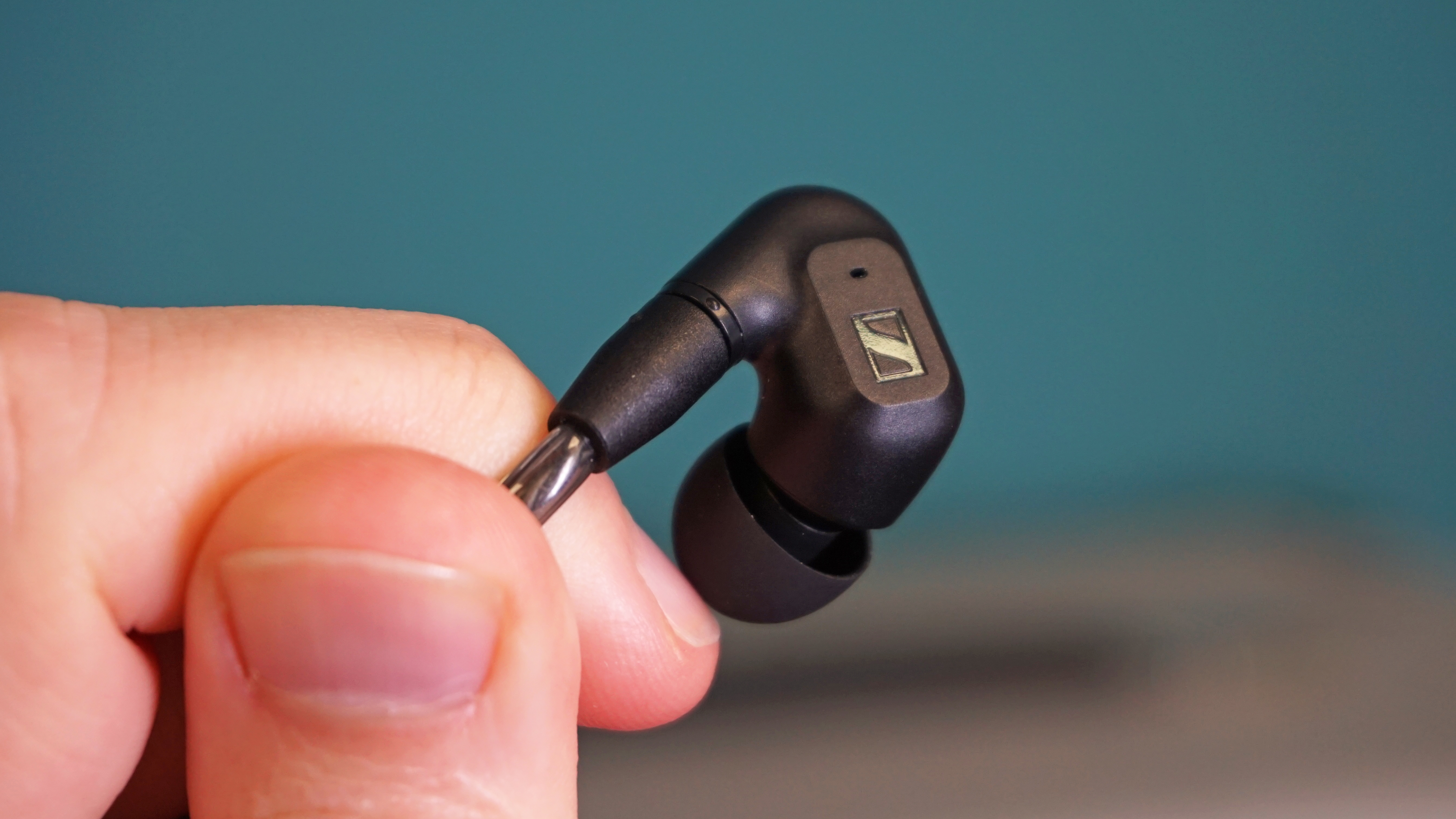
These really are my go-to talented, bijou, wear-all-day IEMs. Never worn wired earbuds before? This is always the set I’m going to nudge you towards. OK, they’re hovering around the $130/£110 mark, but that’s still very reasonable and they’re so worth it.
The compact design snakes discreetly around my ear, the earpieces themselves are beautifully small, the case is a lovely touch, the cable never tangles and the sound quality they’re capable of delivering is neutral, dynamically nuanced, insightful and expansive.
I love these earbuds so much, I had Sennheiser make me a set of custom ear tips a few years ago, to eke every last drop of audio quality from the delicate driver housings. Sadly, I’m not sure it’s something the company still regularly offers, but even without them these buds are very good indeed. Highly recommended.
Read TechRadar’s full Sennheiser IE 200 review.
2. SoundMagic E11C

They’re ridiculously cheap, at just under $50/£40, but the thing is, they don’t look it!
When a largely unknown firm called SoundMagic released a demure set of in-ear buds in 2011 to relatively little fanfare, they quickly became a cult secret in hi-fi circles, offering a way to get decent audio for a song.
Fourteen years on, they’re still among the best cheap options on the market – but I will stress that they’re good for the money. Put simply: if amazing, unparalleled audio quality could be yours for this price, we could all go home.
If this is where your budget maxes out, you have my blessing to buy the SoundMagic E11C. If you want the best possible sound and your budget can stretch just a little more, look to either the first or last product in this little roundup.
Read our in-depth SoundMagic E11C review.
3. Master & Dynamic ME05

If you’re a hi-fi veteran and feel like you’ve seen these wired beauties before, have a gold star. This latest version of the Master & Dynamic ME05 is actually a re-release of the original ME05, unveiled 10 years ago. But this pair has been completely overhauled and, crucially, now comes with Hi-Res USB-C connectivity for the modern smartphone era – although there is a 3.5mm jack too, if you’re going from phone to DAC say, and from DAC to earbuds.
Does this re-release do the originals justice? You betcha. There’s oodles of space, great balance across the frequencies and a crisp, regimented, yet refined bass performance.
The bundled USB-C adapter here has a built-in DAC that supports up to 32-bit / 384kHz resolution, delivering sound beyond CD quality – so if you were looking for a DAC/earbuds combo, you may have just found it. Yes, they’re the priciest option in this roundup at $199 / £169 but the added DAC makes them great value, if truly hi-res audio access is what you’re after.
Read our full Master & Dynamic ME05 review
You may also like
- FiiO’s portable hi-res DAC and amp is priced to make you an audiophile, right before hi-res goes ‘truly mainstream’
- I tried the AirPods Pro 3, and I fell in love with these 3 big upgrades
- Yamaha just launched two new enormous high-end headphones and I need them
- Join the resistor-ance with FiiO’s new super-smart (and refreshingly affordable) desktop DAC
